How to Prepare AI Alias
This guide explains how to prepare an alias file and use it as the AI-inferred alias for a factor layer in CartoScope.
0. Explore the Data with AI Assistance
You can explore your spatial dataset using the available AI-assisted tools within the platform.
Leveraging the current AI agent, you might:
- Identify meaningful feature groupings or patterns
- Inspect how factors are distributed spatially
- Get inspiration for intuitive and consistent alias naming
1. Prepare Your Alias File
Alias File Format
- The file must be a tab-separated file (
.tsv) with one row per factor. - It should contain two columns:
- 1st column (header: either
indexorname): numeric factor indices. - 2nd column (header:
alias): alias names.
- 1st column (header: either
Example Alias File
1 2 3 4 | |
Prepare Alias File via CartoScope
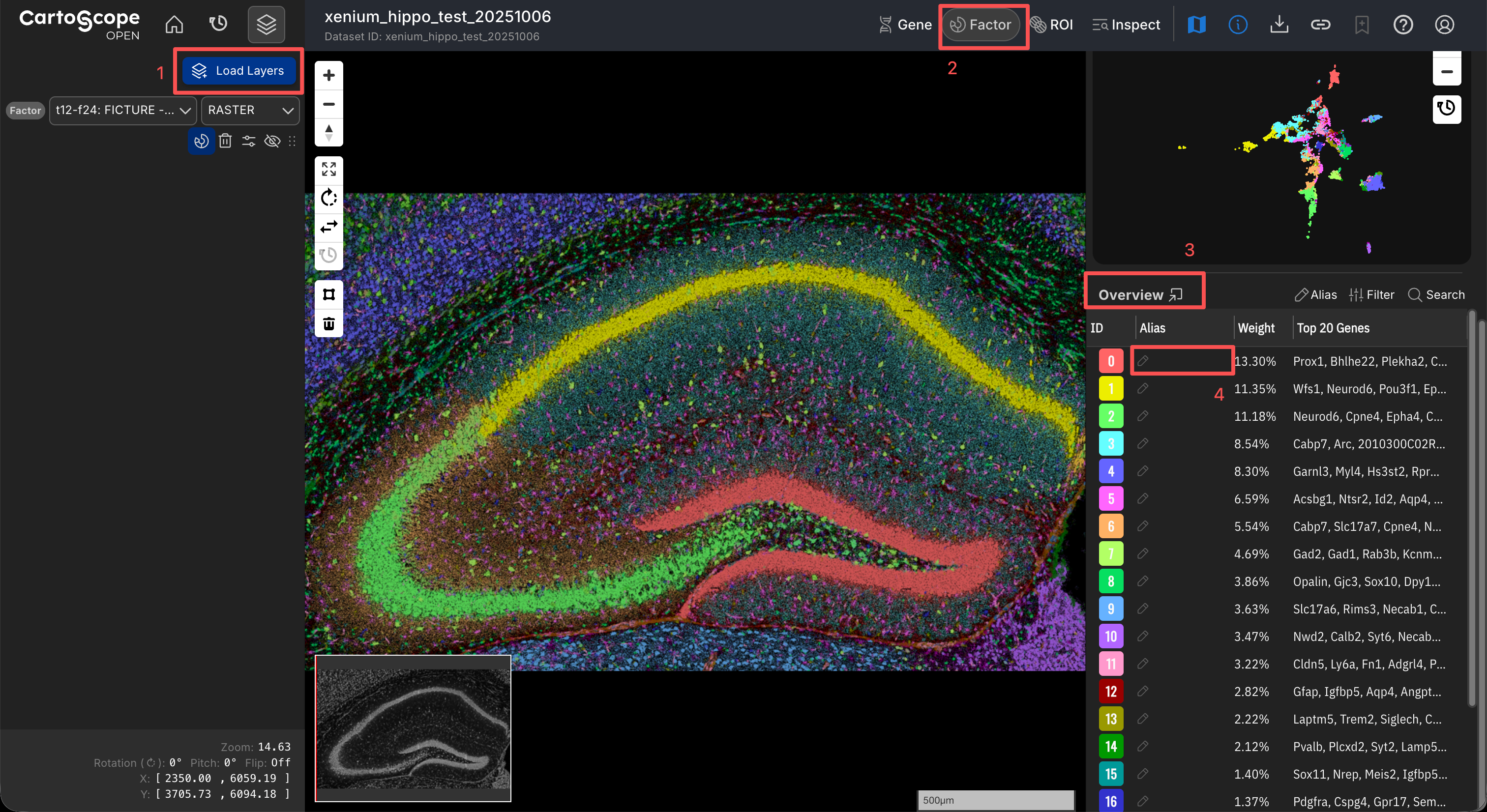
CartoScope offers a solution to prepare your alias file during exploration.
- Click the Load Layers button to load the factor layer you want to annotate.
- Open the Factor Drawer to display your target factor layer.
- Review the Overview Table to determine whether existing alias sources (e.g., curated or AI-inferred aliases) are available.
- To annotate a factor, double-click the corresponding cell and enter your desired label.
- Once all annotations are finalized, click the Alias button at the top of the Overview Table and select Export Alias to generate and download the
.tsvfile.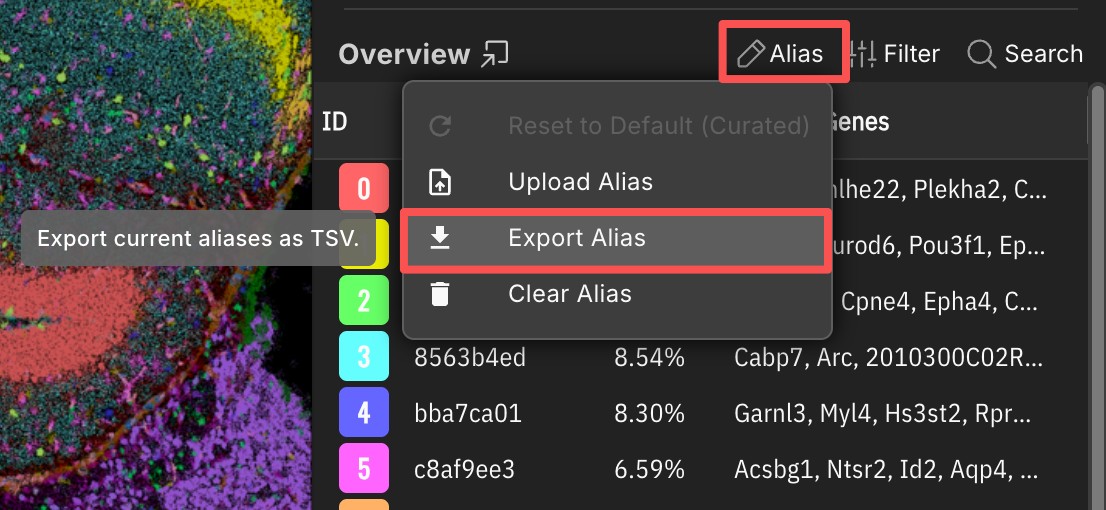
Related Pages
Concepts
Manual Pages
How-to Guides
2. Link Your Alias File in catalog.yaml
If you want this alias file to be available as the AI-inferred alias for a factor layer of a dataset, please:
- specify it in
catalog.yaml, - upload the file to the AWS S3 directory or Zenodo repository that hosts this dataset.
Example catalog.yaml with Alias Files
In the example, we want to provide the ai_inferred_alias.tsv file to the target_layer factor layer in the example_data dataset.
1 2 3 4 5 6 7 8 9 10 | |
alias_aiis the optional AI-generated alias table used as the AI-inferred source.
Related Pages
Concepts
Manual Pages
How-to Guides